Maria runs IT at Lincoln Middle School, 680 kids, one cart of 16 Chromebooks that she bought in 2019. It worked for three years. Then the district gave every 7th and 8th grader a laptop, and suddenly 16 bays wasn’t a cart — it was a bottleneck.
Here’s how she got from 16 bays to a full charging cart setup that actually works, and what she would tell you to do differently if you’re starting the same conversation.
The Problem: 16 Bays for 60 Kids
The old cart lived in the library. Between 9 a.m. and noon, three English classes were all trying to check out laptops for the same 45-minute period. The queue was 40 kids deep, and by third period, half the cart was still on loan from the second class. Kids forgot their chargers. The cart’s battery was dying because it was never plugged in overnight.
Maria did the math: 60 kids who need a device at the same time, 45-minute class periods, 4 periods in a morning. She needed a cart that held 32 laptops, charged them overnight, and could roll from the library to a classroom without tripping over itself.
Why She Didn’t Just Buy More Carts
The easy answer was “buy another 16-bay cart.” The wrong answer. Two 16-bay carts means two places to plug in, two locks to manage, twice the floor space in a library that was already crowded, and two sets of wheels to maintain. A single 32-bay cart consolidates all of it: one power cord, one lock, one rolling unit, one place to send the kids.
What She Actually Spec’d
- 32 bays, 11–14 inch laptops — she measured the thickest Chromebook they had, added half an inch, and didn’t go smaller.
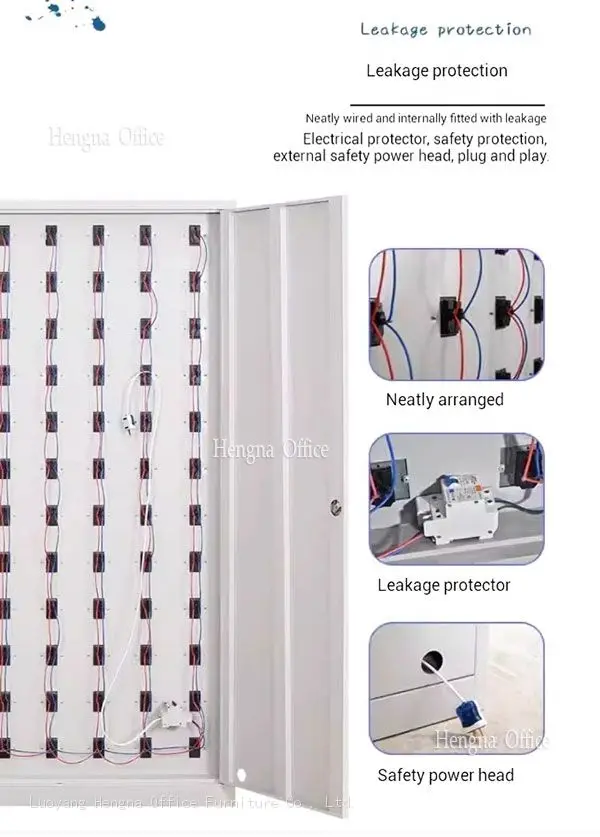
- Built-in charging with USB-C and barrel plug options — the district had bought two generations of devices, and the plugs were different.
- Overcurrent protection per bay — she’d had a cheaper cart burn a power supply two years earlier. She wasn’t doing that again.
- Four swivel casters, two locking — the library threshold was 2 inches high, and she needed the cart to roll over it without a workout.
- Electronic keypad lock, not a key lock — keys walked off twice a semester. Keypads let her change the code when a student aide left.
The First Month: What Broke Her Expectations
Two things surprised her. First, kids charged the laptops themselves once the cart lived in a classroom instead of the library — because the walk back to drop off a dead device was shorter. Second, the cart’s weight became an issue when a 7th grader tried to move it. She added a brake to the two locking casters and started telling teachers not to let students roll it.
If You’re Doing This at Your School
Maria’s advice, in her own words: “Don’t buy for today’s device count. Buy for what you’ll have in three years. We went 16 → 32 and skipped the 20-bay middle step, and I’m glad I did. Measure the doorway, the elevator, and the distance from the charging outlet to where the cart will actually sit. Then ask yourself who’s going to move it — because if it’s a teacher, it needs to be light enough for her to push.”
Schools sorting out laptop carts usually end up sorting records storage too. If your library’s archive shelves are overflowing, our guide to mobile archive shelving for records rooms covers that side of the problem.
If your device count is about to jump and you’re choosing between another 16-bay cart or one 32-bay unit, send us your device list and the doorway measurements. We’ve spec’d enough school carts to know what breaks first — and it’s never the wheels.