When 600mm Is Too Wide, 260mm Is Too Narrow
Office furniture buyers face a gap in the market — literally.
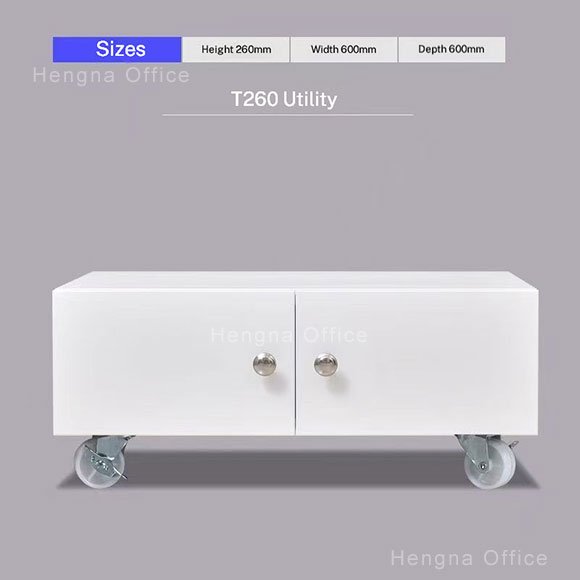
Standard printer stands and cabinets are 600mm wide. They take up a meaningful chunk of floor space in a small office, a reception area, or a narrow reception desk. But a 260mm ultra-slim unit is too narrow for a printer base. It works for storage only.The Hengna Model 3 Slim Steel Printer Cabinet — 450mm Narrow Width sits in that middle zone. At 450mm wide and 600mm deep, it is slim enough to fit beside a narrow desk, inside a cubicle alcove, or in the gap next to a filing cabinet — but it is still wide enough to fully support a standard desktop printer base with room for accessories beside it.
This is the cabinet for offices where every square meter of floor space has already been claimed.
The 450mm Width Decision — Floor Space Without Compromise
Let us address the measurement directly.
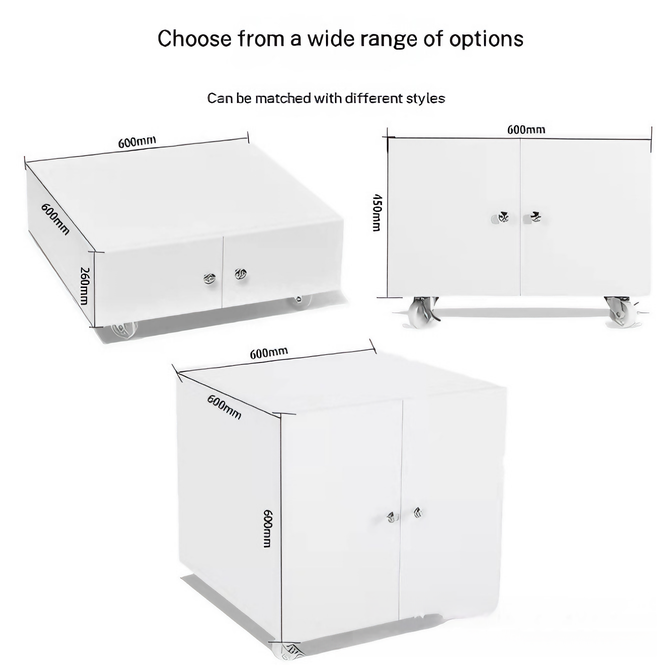
450mm is 150mm narrower than a standard 600mm printer cabinet. That is a meaningful saving when you are working with a desk configuration that leaves 500–550mm of clearance.
The 600mm depth is not compromised. A standard desktop printer with 400–500mm depth will sit fully supported on the platform with no overhang. The extra depth behind the printer gives you space to route cables, store a paper tray, or keep reference materials beside the machine.
The cabinet does not look or feel undersized. At 600mm tall and 600mm deep, it has the visual weight of a proper piece of office furniture — just narrower.
Printer Compatibility Guide
| Printer Type | Typical Footprint | Fits Model 3? |
|---|---|---|
| Inkjet all-in-one (HP ENVY, Canon PIXMA) | 400–450mm × 300–350mm | ✅ Yes, comfortable fit |
| Small laser printer (HP LaserJet Pro 40xx) | 370–420mm × 350–400mm | ✅ Yes |
| MFP laser (Xerox WorkCentre, Ricoh SP) | 400–480mm × 450–520mm | ✅ Yes, slight side margin |
| A3 desktop printer | 500–560mm × 450–520mm | ⚠️ Tight but functional |
| Wide-format plotter | >600mm | ❌ Not recommended |
For the majority of inkjet and standard laser printers found in small offices, medical practices, real estate offices, and home-based businesses, the Model 3 is the right fit.
If you are unsure about your specific printer model, measure the base (length × width) before ordering. If both dimensions are under 420mm, the Model 3 gives you a spacious fit with room to spare.
What You Can Store Inside
The lower interior section of the Model 3 has approximately 200–250mm of usable height (floor to platform underside).
Items that fit here comfortably:
- Specialty photo paper packs (typically 200–300mm in length)
- Label roll boxes
- Upright archive boxes (half-height)
- Toner cartridges and developer units
- Staplers, hole punchers, and desktop accessories
Because the cabinet is narrow, the storage bay is not wide. Store items flat or upright in a single row. This is a purpose-built organizer, not a bulk storage unit.
If you need bulk storage, see Model 2 (690mm tall with larger interior bay).
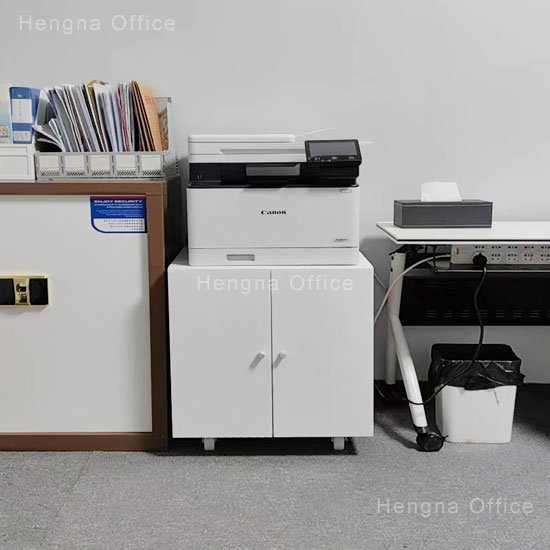
Slim Steel Printer Cabinet — 450mm Narrow Width Real User: Real Estate Agency
“Our downtown office has open plan desks. We needed to put a printer in the common area without blocking walkways. The Model 3 sits in the corner beside the filing cabinets — it barely takes up any space, and nobody notices it.”
— James K., Broker Associate, Austin, TX
“We considered putting it under a shelf but decided against it. The Model 3’s height puts the printer at just the right level for people standing at the counter.”
— James K.
Installation and First Use
Unpacking:
The Model 3 ships in a flat-pack box. The carton will be narrower than the Model 1 or 2 — approximately 480mm wide. This makes it easier to move through standard doorways and hallways.
Caster installation:
Two industrial casters are pre-installed on the base panel. The remaining two casters install with four bolts each. All hardware is included. A 10mm wrench (not included) is required.
Assembly time: 20–25 minutes for one person.
First positioning:
Place the unit in its intended position and lock the casters. Rock the cabinet gently to confirm stability. If the unit wobbles, check that all four casters are on a flat surface. For uneven floors, a flat rubber mat under the unit solves the issue.
Cable management:
The 600mm depth gives you space to route power cables behind the printer, toward the wall. Use a standard cable clip or Velcro tie to keep cables organized.
Cleaning and Maintenance
Daily:
Wipe the exterior with a soft cotton cloth dampened with water or mild detergent. Dry with a clean cloth.
Monthly:
Check caster brake function — press each brake lever to confirm it engages and releases cleanly. Inspect the cabinet body for any loose bolts. Tighten if necessary.
What to avoid:
- Steel wool or abrasive cleaning pads — will scratch the matte white coating
- Solvent-based cleaners — may damage the powder coating
- Placing the unit in areas of standing water — casters are water-resistant but not waterproof
The brushed stainless steel handle requires no special maintenance. Wipe as needed with standard cleaner.
The Cubicle Buyer — A Specific Profile
If you are buying for a cubicle environment, here is what matters:
Doorway clearance: Standard cubicle walls are 1000–1200mm wide. A 450mm cabinet passes through easily. A 600mm cabinet is a squeeze.
Counter height: Cubicle counters are typically 900–1050mm tall. The Model 3 at 600mm tall sits comfortably below most counter heights — it can sit beside a desk without blocking sightlines or creating a visual barrier.
Noise: The steel cabinet does not amplify printer noise. If your printer is loud, the cabinet will not make it louder. The anti-slip shelf guards reduce vibration and rattling.
Electrical proximity: Place the cabinet near a power outlet. Cabling along the floor should use a cable cover to prevent tripping hazards.
Frequently Asked Questions
Q: Is the Model 3 stable enough for a heavy laser printer?
A: Yes. The 80KG top load rating applies to Model 3. The narrow width does not reduce structural integrity — the cabinet’s frame and base are engineered to handle the rated load. For stability, always lock the casters when the unit is in use.
Q: Can I use this as a side table beside a sofa or reception couch?
A: The dimensions would technically work, but this cabinet is designed for office equipment use. The shelf guards and caster system are optimized for printer environments. For reception or lounge furniture, consider our standard storage cabinet line.
Q: Is the interior shelf adjustable?
A: The Model 3 has a fixed interior shelf. The shelf position is set during assembly. If you need an adjustable shelf, see Model 1 or Model 2.
Q: What is the net weight of the cabinet?
A: Approximately 15–17KG without load. The steel construction provides the stability — the weight comes from the material, not from added ballast.
Q: Can I stack two Model 3 units?
A: No. These cabinets are not designed for stacking. If you need stacked storage, use a unit from our heavy-duty storage cabinet line designed for that configuration.
Q: How wide is the door opening?
A: The lower storage bay uses a single-door design. The door opening is approximately 420mm wide — sufficient for flat storage boxes, file folders, and accessories.
Q: Does the matte white show fingerprints?
A: Less than polished or glossy finishes. Fingerprints are most visible on the door panel. A soft damp cloth removes them easily.
Why the Model 3 Deserves Your Attention
The office furniture market is flooded with 600mm-wide printer cabinets. They are the default option.
The Model 3 is the option for offices that have already been fitted out — where a 600mm gap does not exist, but a 450mm gap does. For desks placed against walls. For filing cabinet rows with 500mm of clearance beside them. For medical practice alcoves. For reception areas.
Every square meter you save on the printer stand is a square meter that stays clear for foot traffic or additional workspace.
If your space has constraints, the Model 3 was made to fit them.